Management portal
Fleet overview, performance, inventory, groups, licenses and administrative context. File listings are read-only.

A buyer’s guide to how CyberCursor separates client administration, interactive desktop access and authenticated endpoint reporting.
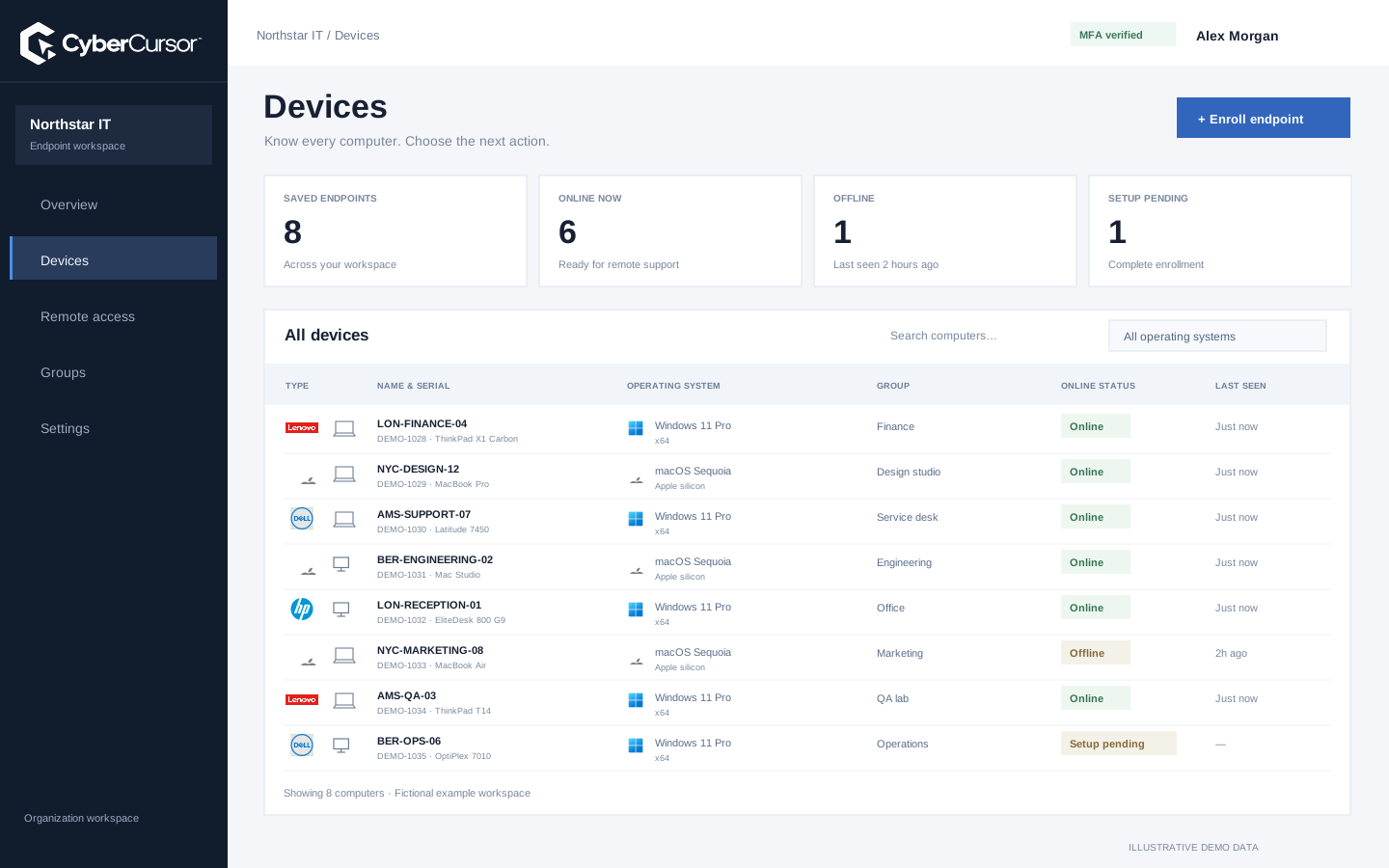
CyberCursor is organized around the client portal, the installed CyberCursor Remote controller and the CyberCursor Endpoint agent. The portal provides dashboards, device availability, inventory, monitoring context, licenses, group and user administration and the existing reviewed operational workflows. The controller is the required interactive surface for screen access, keyboard and mouse control, terminal commands and file changes. The endpoint agent runs on the managed machine and supplies authenticated observations and permitted operation results. This separation means a user can review an endpoint from a browser without the browser becoming a direct-control client. Windows and Mac pilot builds are published for both operator and endpoint roles. Linux and Android remain planned platforms, so architecture diagrams should not be mistaken for released platform coverage.
A reusable client or group key begins setup, but each installation obtains its own identity. The server selects the client and group from the authorized key rather than trusting arbitrary ownership supplied by the installer. The signed setup profile is tied to the installation request and key possession, and the enrolled device uses its certificate for subsequent authenticated reporting. A group key can place the endpoint within the intended group during that enrollment. Existing devices retain their individual identities through appropriate supported upgrades rather than being casually reassigned by entering another key. This relationship is useful to an enterprise buyer because enrollment, inventory and authorization refer to the same owned endpoint. A key permits installation; it does not override plan limits or grant an operator unrestricted remote access.

Processor activity
Working memory
Used capacity
The hosted account flow uses password and authenticator sign-in, while client membership and current endpoint assignments determine what a person can do. Platform Super Admin handles company-level responsibilities and is excluded from endpoint operations. Client administrators manage operational access; management users receive selected endpoints or groups, and guests receive endpoint-specific shares with an expiry. The installed controller uses the current account workflow and a controller-bound request channel for privileged interactive operations. The server also refuses those interactive browser routes. This boundary supports the intended product division; it is not a claim of binary attestation or certification of any modified client. Evaluate authentication, scope changes and refusal cases together, because a successful login does not by itself demonstrate correct permission to a particular endpoint.
Fleet overview, performance, inventory, groups, licenses and administrative context. File listings are read-only.
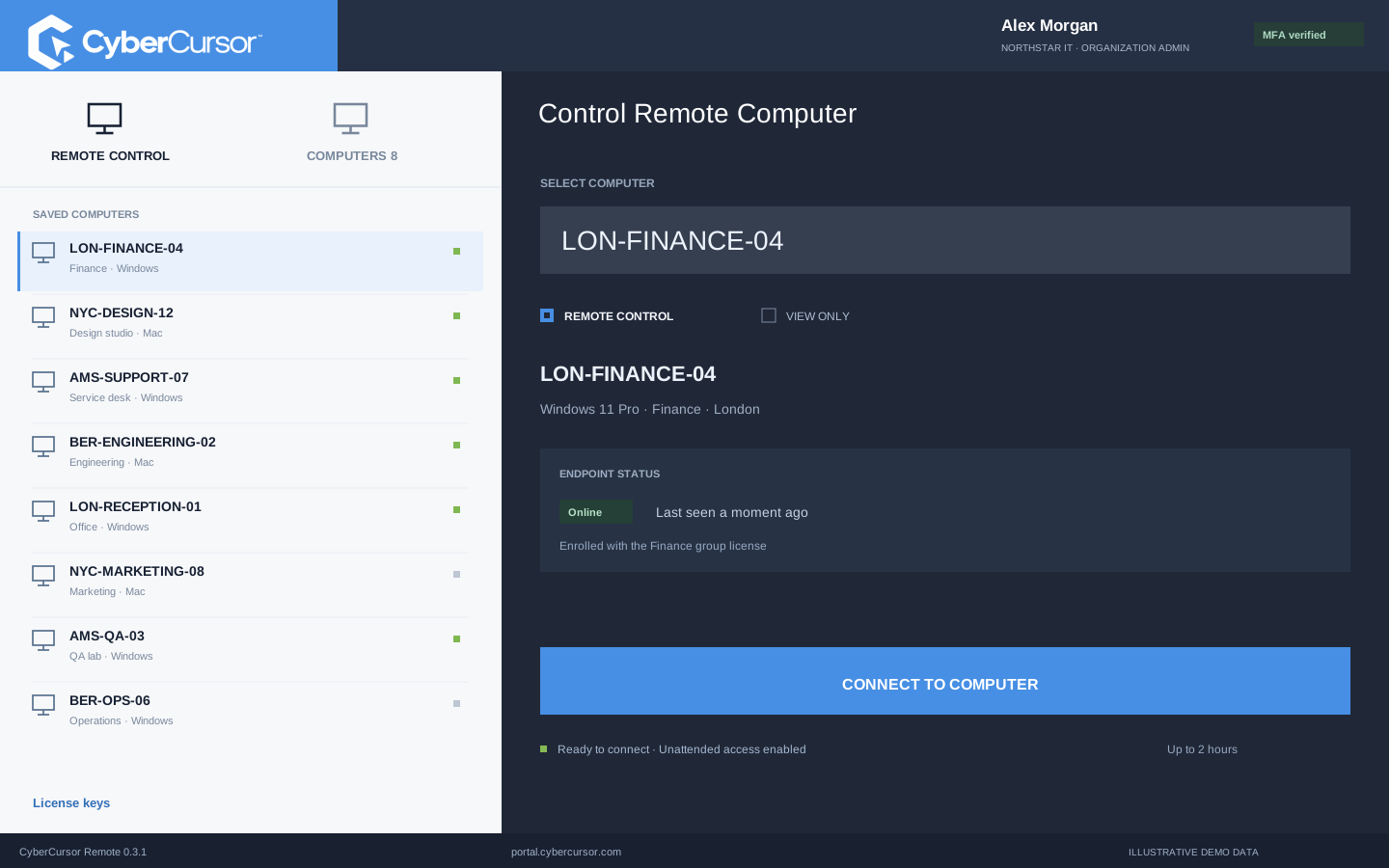
Windows and Mac apps for interactive screen access, terminal commands and bounded file modifications.
Identity, reports and authorized actions on the owned computer. Availability depends on endpoint readiness and OS permissions.
The endpoint sends hardware, operating-system, software, process and performance observations through its authenticated reporting path. The client profile considers collection time, receipt and current connection when presenting readings as live. Old values can remain useful as last known, while missing counters and history gaps stay visible. Administrative operation results are also separate from the request that initiated them: a queued action, an accepted task and an observed effect describe different stages. This design helps the operator decide when there is enough evidence to continue. During an evaluation, compare the portal with local device facts, disconnect a test endpoint and inspect stale behavior, then reconnect and obtain a new observation. The architecture should make uncertainty visible rather than convert every request into an implied successful outcome.

CyberCursor connects remote and security context through provider-backed workflows rather than claiming that a web dashboard alone supplies every engine. The remote pilot has a configured engine and client mapping; a real enrolled endpoint must establish healthy capture connectivity before screen access can be evaluated. Security-monitoring work includes lab provider enrollment, file-change evidence and vulnerability imports, but production coverage and complete scan freshness remain separate acceptance. This distinction helps buyers ask the right operational questions: which component is running, which endpoint is mapped, how current is its evidence and what happens when a provider becomes unavailable? Do not infer full production SOC coverage from a security tab or use fictional findings as deployed evidence. Evaluate the provider-backed workflow that your intended support or security use case actually requires.
Organizations, clients and high-level administration.
Assigned endpoints, groups, enrollment keys and operational workflows.
Explicitly shared endpoints with a scoped expiry, rather than whole-client access.
Turn the component model into a short set of checks. Confirm the portal’s administrative role, the controller’s interactive role, the endpoint’s authenticated reports and the current account scope. Test an unrelated client, a revoked assignment and an expired guest share. Verify real device identity and freshness, then inspect the actual endpoint effect of the operation you need. Record platform-specific installation and local permission behavior, because component packaging is not the same as installed runtime acceptance. Recovery, fleet scale, publisher signing, independent assessment and formal retention commitments remain separate considerations for a wider release. Contact connect@cybercursor.com with your deployment environment and the architecture questions your team needs answered. A useful pilot ends with explicit evidence for each component rather than a general claim that everything is connected.
Operational details matter as much as the interface.
No. The web portal handles administration and observation. Installed Windows and Mac controllers are required for interactive endpoint access.
No. Each enrolled installation has its own identity and certificate. Reusable keys authorize setup into the chosen client or group.
No. The current channel enforces the portal/controller product boundary and current authorization. It is not advertised as managed binary attestation.
No. Provider availability, real endpoint acceptance and security coverage have distinct gates. Evaluate the specific workflow and platform you require.
Connect this workflow to the rest of your endpoint workspace.
Prepare client ownership, groups, license keys, platform builds and acceptance checks for a controlled CyberCursor pilot.
Explore RESOURCESPILOTUnderstand the roles of the web portal, installed controller, endpoint agent, identity controls and provider-connected reporting.
Explore RESOURCESPILOTCompare remote support, endpoint operations and security tools using workflow evidence, platform coverage and clear commercial assumptions.
ExploreStart with a conversation about your fleet, your workflows, and a controlled pilot.