Management portal
Fleet overview, performance, inventory, groups, licenses and administrative context. File listings are read-only.
Use the installed controller for an authorized, bounded endpoint command, then inspect its result in the same operational workflow.
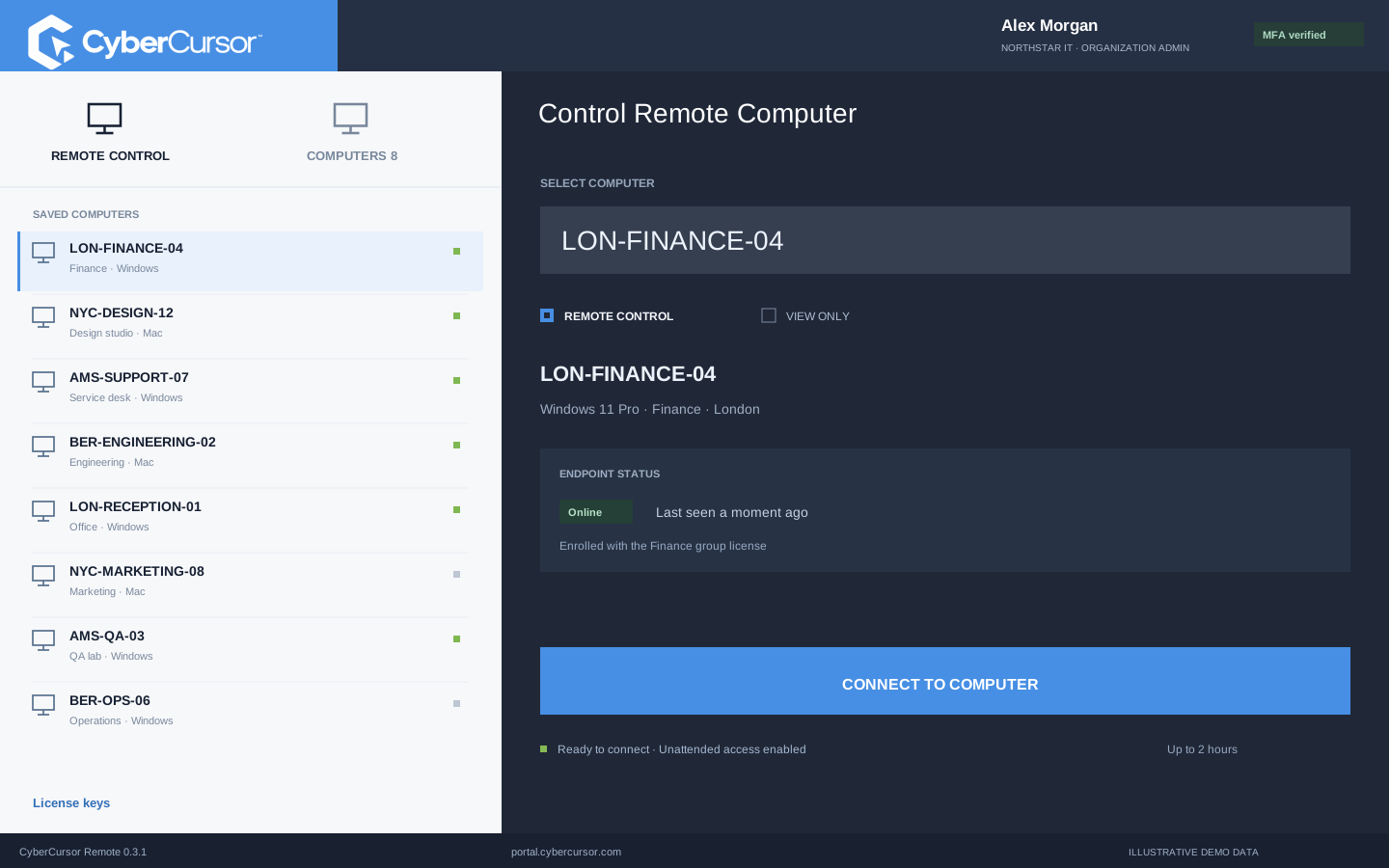
A command is easier to review when the operator knows which machine will run it. CyberCursor places terminal access within the installed controller’s endpoint workflow, alongside availability and device identity. Start by confirming the client, endpoint name, operating system and intended effect. A diagnostic command that reads a version is different from one that restarts a service or modifies a configuration. The pilot requires a client administrator with recent MFA and a currently available endpoint. The web portal provides guidance to open CyberCursor Remote rather than accepting interactive terminal execution itself. This gives a technician a coherent sequence: observe the device, choose a small command, review the result and verify the local condition the command was intended to investigate or change.
The current terminal workflow is a bounded command facility with a sixty-second execution limit. It is designed for short diagnostic or administrative actions rather than an indefinitely connected shell. Choose commands that can finish within that window and have an output your team can interpret. Long-running installers, continuous log tails and interactive prompts should be handled through an appropriate deployment or support workflow instead of being assumed to fit the terminal. Review the command’s operating-system behavior before running it, including whether it can wait for user input. If execution times out or its result is uncertain, inspect the endpoint condition before retrying a mutating action. A limit creates a useful boundary, but it does not make a command harmless or establish that its intended effect occurred.
Commands execute with the endpoint service’s operating-system authority, which may differ from the account visible on the user’s desktop. That distinction affects accessible folders, environment variables, profile settings and the side effects of a command. A command tested in a personal terminal should not be assumed to behave identically through an installed service. Check the platform and the relevant path before running it, and avoid relying on an interactive desktop session unless the workflow explicitly supports one. Windows and macOS also use different command conventions and permission models. The pilot does not bypass macOS Screen Recording or Accessibility setup, and command access is not a reason to bypass those controls. Build platform-specific diagnostic instructions that an operator can review and verify on representative owned endpoints.
Fleet overview, performance, inventory, groups, licenses and administrative context. File listings are read-only.
Windows and Mac apps for interactive screen access, terminal commands and bounded file modifications.
Identity, reports and authorized actions on the owned computer. Availability depends on endpoint readiness and OS permissions.
The terminal result is useful evidence, but a displayed exit code is only one part of a support outcome. Read the returned output and determine whether it matches the question you asked. For a version query, compare the value with the installed-software report. For an allowed configuration change, inspect the relevant file or service state after the command. If the endpoint disconnects or a result is missing, keep the outcome uncertain until a new observation resolves it. Avoid repeated mutation simply because the first response did not arrive. This measured approach is particularly useful when a laptop changes networks or a service restarts during the investigation. Keep the command, selected endpoint, reported result and independent verification together in the support record.
A one-endpoint command is not a fleet rollout plan. CyberCursor retains reviewed automation workflows for scripts and software jobs with defined artifacts, targets, execution limits and approval rules. Use those workflows when an action must be repeated across a group or when a team needs a structured review before change. The installed controller does not expose a new general script-job API through its desktop interface. Interactive terminal access stays focused on the selected endpoint and the administrator’s current task. A good operational policy makes the transition explicit: investigate with a short command, capture the finding, then prepare a reviewed script if the remedy must be distributed. That preserves the useful speed of a diagnostic terminal while giving repeated changes a more deliberate delivery and outcome process.
Organizations, clients and high-level administration.
Assigned endpoints, groups, enrollment keys and operational workflows.
Explicitly shared endpoints with a scoped expiry, rather than whole-client access.
During a pilot, test terminal access with a short, read-only command on a disposable owned endpoint. Confirm the selected device, sign in with the required administrator permissions and recent MFA, then request a value that can be checked locally. Compare the returned output with the machine’s own report and confirm that the operation appears in the expected workflow. Next, test the timeout behavior with a safe instruction that cannot change files or services. Windows and Mac acceptance should be recorded separately because their installed-service contexts differ. Current native Mac fixture checks include a harmless command; fresh production endpoint acceptance remains part of your rollout evaluation. Share your proposed diagnostics and required platforms with connect@cybercursor.com before relying on the pilot for operational command execution.
Operational details matter as much as the interface.
Interactive commands require CyberCursor Remote on Windows or macOS. The portal provides endpoint context and controller guidance.
No. The current pilot offers bounded commands with a sixty-second execution limit rather than an indefinitely connected shell.
Current terminal operations require a client administrator with recent MFA. Management and guest remote-access assignments do not add terminal permission.
Execution follows the endpoint service’s operating-system permissions. Confirm that context during platform-specific acceptance testing.
Connect this workflow to the rest of your endpoint workspace.
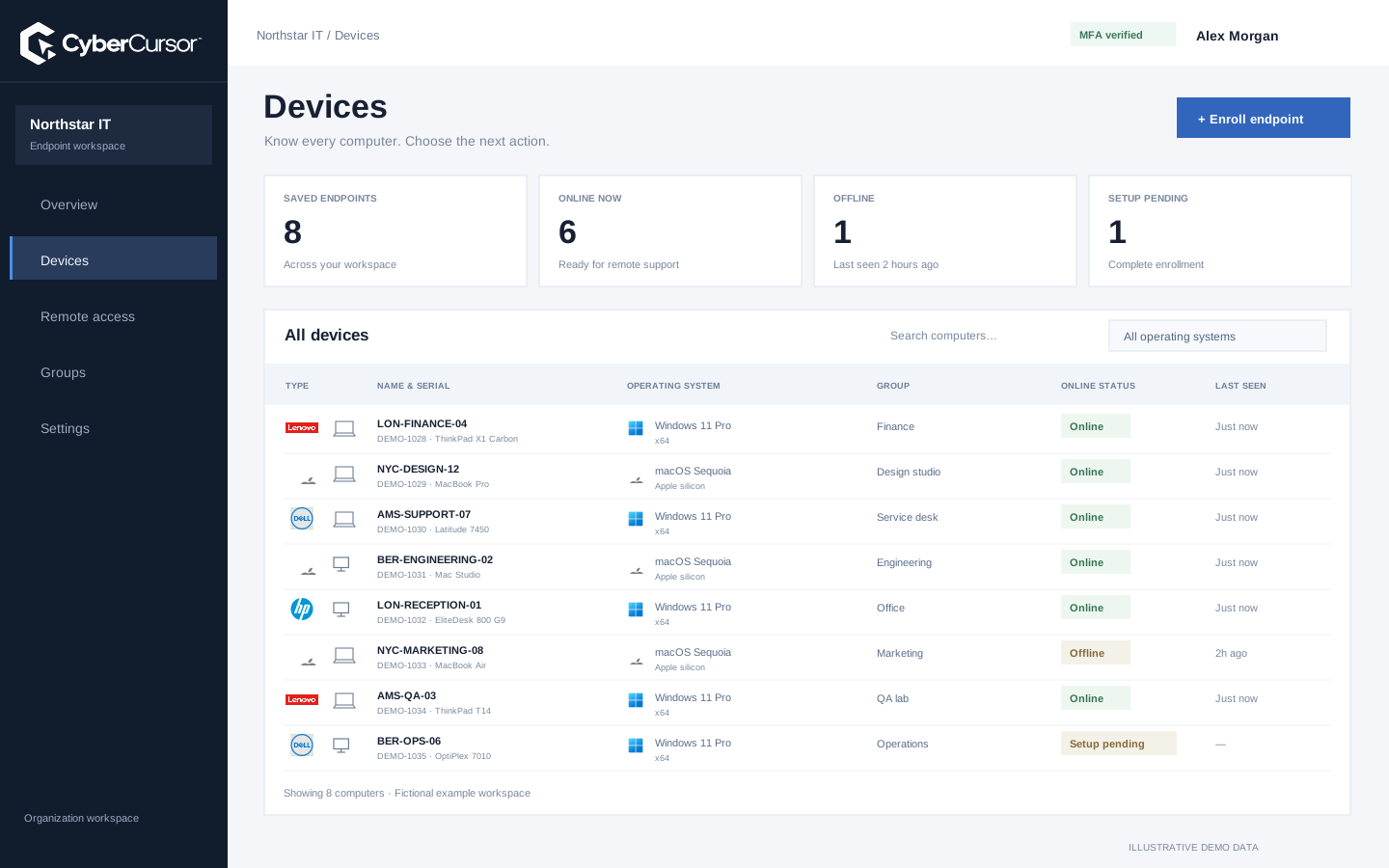
Understand Windows and Mac endpoints with hardware, operating-system, software and identity details in one client workspace.
Explore FEATURESPILOTInvestigate CPU, memory, storage, network and process activity with endpoint reports and clear freshness.
Explore FEATURESPILOTBrowse endpoint folders in the portal and use CyberCursor Remote for authorized file uploads and modifications.
ExploreStart with a conversation about your fleet, your workflows, and a controlled pilot.