Management portal
Fleet overview, performance, inventory, groups, licenses and administrative context. File listings are read-only.

Combine update visibility, installed software context and reviewed maintenance planning without confusing a queued job with a patched device.
Patch planning begins with an accurate picture of the endpoint. CyberCursor’s Windows and Mac agents report installed-software observations and available operating-system updates where the platform provides them. Use the endpoint’s Applications view to establish the detected version and the latest report time before deciding that a change is required. An available update is a candidate for maintenance, not proof of exposure or evidence that an installation has happened. Relate the update to the application or operating system that the business actually uses. Record platform, architecture and any reboot or service interruption that the vendor expects. The current reporting foundation is available in the pilot; general fleet patch deployment and a broad commercial application catalog are distinct preview and roadmap work.
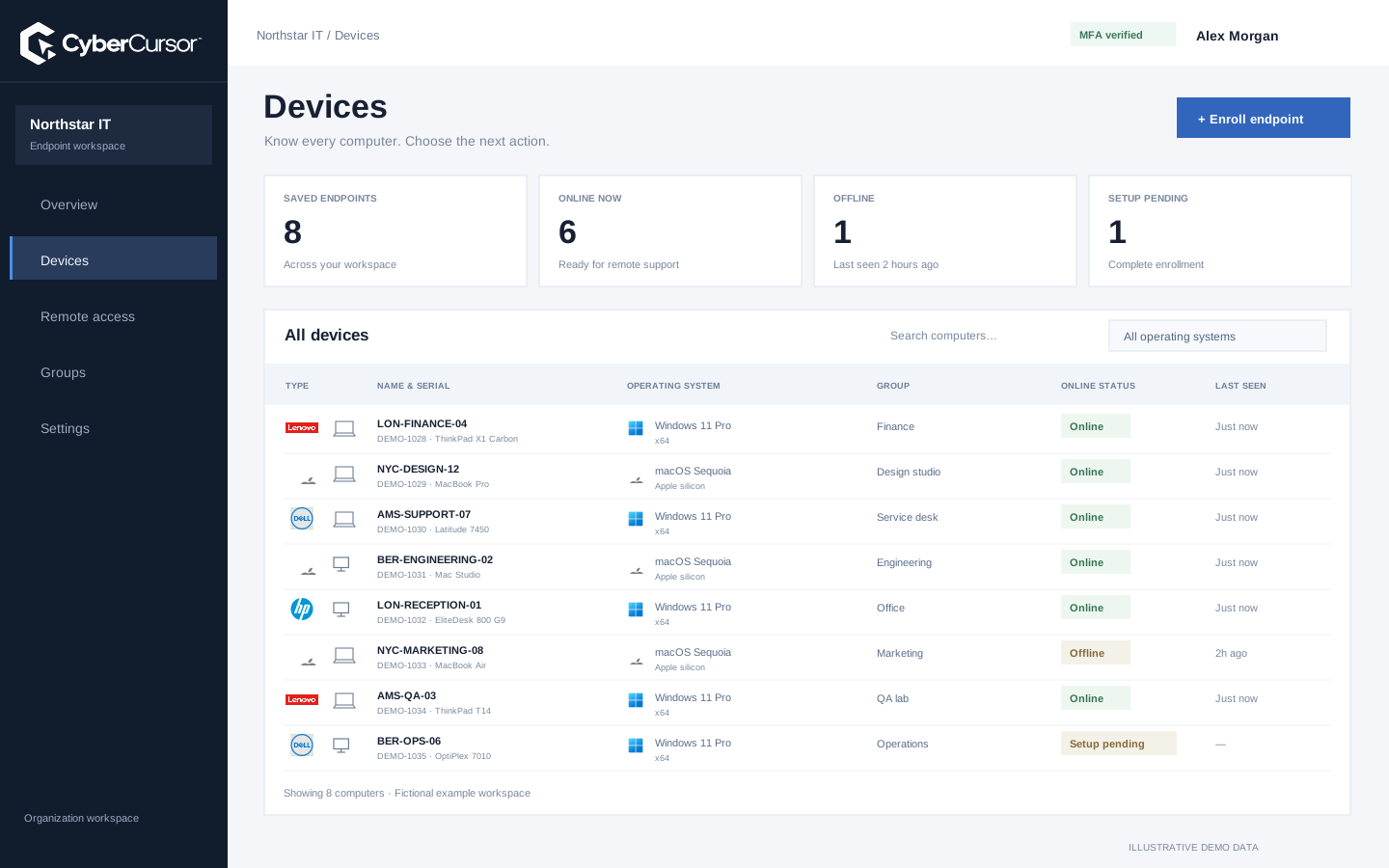
A reviewed software change needs more than a download link. Record the title, target version, publisher, platform, architecture, installation context and expected detection method. CyberCursor’s software-lifecycle work validates approved origins, artifact identity and publisher checks before execution. This makes a package review about a specific intended artifact rather than whatever a URL happens to return later. In the owned Windows lab, a PowerShell install, update and uninstall sequence was independently verified; that narrow acceptance is not a claim that every Windows title or all Mac packages are covered. Before proposing a new package, identify the official distribution source and the behavior of its installer. Confirm that the intended recipe can detect the result rather than trusting its process exit status alone.
A maintenance ring should reflect the operational risk of the change. Choose a small group of owned test devices with the relevant operating systems, processor architectures and application dependencies. Review the explicit job targets and start with a representative canary before any wider rollout. Plan for connected and disconnected devices separately, and agree on the acceptable maintenance window with the people responsible for the endpoints. The current preview has bounded dispatch and approval rules; it is not an unlimited patch scheduler with verified scale. An update that works on an administrator’s test VM may behave differently on an employee laptop with a different installer context. Keep those distinctions in the acceptance record and use them to decide which additional platforms or package families require evaluation.
Fleet overview, performance, inventory, groups, licenses and administrative context. File listings are read-only.
Windows and Mac apps for interactive screen access, terminal commands and bounded file modifications.
Identity, reports and authorized actions on the owned computer. Availability depends on endpoint readiness and OS permissions.
Installer completion and software detection are different checks. A successful process status can occur without the expected version being available in the intended context, while some installers report a reboot requirement before final state can be confirmed. CyberCursor’s software-lifecycle evaluation separates returned results from independent registry or file observations. For your maintenance plan, specify the post-change condition in advance: a detected version, an absent package or a verified configuration. Request a fresh report after the endpoint reconnects and compare it with that condition. If the result is missing or the endpoint becomes unavailable, preserve the uncertainty and investigate before repeating a mutating installer. A patch dashboard is valuable only when the team can explain what was attempted and what was subsequently observed on each device.
A vulnerability finding can help prioritize an update, but it does not automatically establish that a particular endpoint is exploitable or that a package change resolves the finding. CyberCursor’s security direction connects provider observations with device context; production provider coverage and full resolution acceptance remain separate work. Check the package version, advisory applicability and platform conditions using the relevant source before selecting a remedy. After maintenance, compare the reported installation state and any fresh provider assessment rather than closing an alert solely because a job completed. This keeps exposure review and operational change connected without treating them as interchangeable. For the current pilot, define exactly which reporting and maintenance evidence is expected, and use an existing security process where production security coverage is required.
Organizations, clients and high-level administration.
Assigned endpoints, groups, enrollment keys and operational workflows.
Explicitly shared endpoints with a scoped expiry, rather than whole-client access.
Start with one application whose distribution and detection behavior your team can verify. Record its current version on a disposable endpoint, review an approved package, test the canary and independently inspect the resulting version. Then exercise the update or uninstall path only within that test environment. Include installer failure, endpoint reconnection and any reboot requirement in the evaluation plan before considering more devices. The broader CyberCursor goal includes software lifecycle and patch workflows, but current evidence does not establish broad cross-platform package coverage. Use the pilot to decide whether the workflow and result model meet your maintenance requirements. Contact connect@cybercursor.com with the specific software titles, operating systems and deployment contexts that matter, so evaluation can focus on real maintenance decisions rather than a generic coverage promise.
Operational details matter as much as the interface.
The Windows and Mac endpoint profile includes available OS update observations where reported. This is visibility, not a claim that an update has been installed.
No. Software maintenance is a preview with specific lab acceptance. Broad catalog coverage and production fleet patch execution require separate validation.
No. Confirm the installed state and the advisory’s applicability, then obtain a fresh security assessment when the relevant provider is available.
Choose one controlled title, a disposable endpoint, explicit detection criteria and a canary. Verify failure, reconnection and reboot handling before extending scope.
Connect this workflow to the rest of your endpoint workspace.
Understand Windows and Mac endpoints with hardware, operating-system, software and identity details in one client workspace.
Explore FEATURESPILOTInvestigate CPU, memory, storage, network and process activity with endpoint reports and clear freshness.
Explore FEATURESPILOTBrowse endpoint folders in the portal and use CyberCursor Remote for authorized file uploads and modifications.
ExploreStart with a conversation about your fleet, your workflows, and a controlled pilot.