Management portal
Fleet overview, performance, inventory, groups, licenses and administrative context. File listings are read-only.

Bring the script, target devices, execution limits and review into one operational plan before changing a fleet.

A useful automation request describes what should be different on the endpoint after execution. A script name alone does not tell a reviewer whether the change is safe, whether it matches the target platform or how success will be verified. CyberCursor’s automation preview organizes the artifact, intended action, parameters and device scope before dispatch. Define a concrete result such as a reported setting, a verified small file or an installed version, then select an appropriate recipe. Keep credentials out of executable arguments and returned output. The current implementation includes reviewed scripting and bounded lab dispatch; wider production fleet acceptance is a separate evaluation. Use the workflow to improve the clarity of the proposed change first, then establish whether the execution path is suitable for your actual endpoints.
The scripting workflow uses immutable signed revisions and a digest that ties review to a specific artifact. This helps prevent a familiar script label from disguising a different implementation between preparation and execution. Parameters are provided as literal structured input rather than being casually inserted into command text. Review the parameter meanings, platform assumptions and expected side effects before requesting a job. A reviewer should be able to understand what the recipe will do without relying on a private conversation with its author. Record the source and version, and retain a recovery instruction when the action changes endpoint state. Signature and digest checks establish the intended artifact identity; they do not prove that the code is appropriate or that every endpoint will complete it successfully.
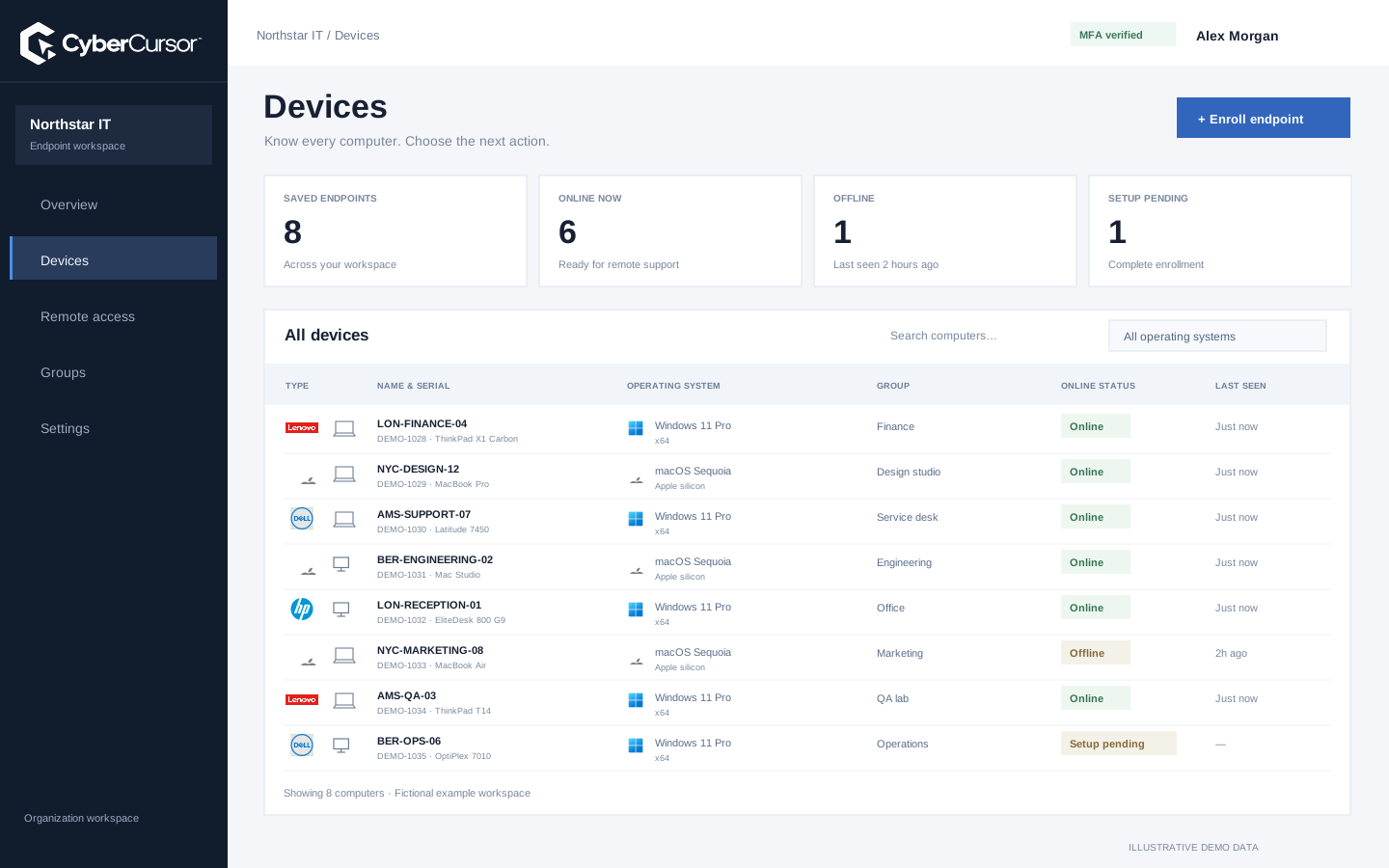
Group membership can change while an operational request is being prepared. CyberCursor’s job workflow freezes the explicit selected device list so that review applies to particular targets rather than a moving label. Carefully check the client, endpoint names, platform and availability before submitting that list. The current bounded dispatch implementation covers one to twenty targets, with concurrency capped at two. Mutating jobs above five targets require independent approval under the existing workflow. These limits are part of the present preview, not a claim of unrestricted fleet scale. An administrator evaluating automation should verify both permitted actions and refusals: an unrelated client, an unassigned device or an unsuitable platform should not enter the execution scope because the group name sounds plausible.
Fleet overview, performance, inventory, groups, licenses and administrative context. File listings are read-only.
Windows and Mac apps for interactive screen access, terminal commands and bounded file modifications.
Identity, reports and authorized actions on the owned computer. Availability depends on endpoint readiness and OS permissions.
A canary is a small, representative first target that helps reveal whether the proposed change behaves as expected. Choose a machine whose operating system, architecture and application context match the wider set closely enough to be informative. CyberCursor’s preview includes canary gating and bounded concurrency so an unsuccessful first outcome can prevent the remaining change from proceeding. Define what success means before starting, including any independent file, configuration or software detection required. A script returning a successful process status is not always sufficient. Record why the canary represents the target group, and include an unavailable-device scenario in the evaluation. A well-chosen canary improves the decision to continue; it does not replace testing a diverse fleet or designing recovery for interrupted changes.
An endpoint can lose connectivity after accepting work, leaving the control plane without a complete result. Treat that outcome as uncertain rather than assuming either success or a harmless failure. CyberCursor includes recovery and late-result workflows that preserve evidence separately from the unknown state and require an explicit reconciliation process before further mutation. Job cancellation also needs to be understood as a workflow request, not proof that all local side effects disappeared. Inspect the per-device result and independently verify the condition that the action was intended to change. The lab has exercised script dispatch, approvals, cancellation and restart behavior with separate agent identities; broader multiple-machine package execution remains an acceptance task. Build a runbook for reconnection and missing results before relying on unattended rollout.
Organizations, clients and high-level administration.
Assigned endpoints, groups, enrollment keys and operational workflows.
Explicitly shared endpoints with a scoped expiry, rather than whole-client access.
Begin automation evaluation with a harmless recipe that creates an easily verified result on disposable owned endpoints. Review its artifact revision, parameters, explicit target list, canary and limits. Use independent approval where required, inspect each returned result and confirm the local effect through a separate observation. Include a disconnected target and a deliberately unsuccessful canary so the team can learn the refusal and recovery paths. Keep Windows and Mac assumptions explicit; current package-lifecycle evidence is narrower than general scripting evidence. Expand only when the initial ring has an operational owner and a clear completion record. For an enterprise pilot, contact connect@cybercursor.com with the task you want to automate, your platform mix and the maximum acceptable effect of an interrupted action.
Operational details matter as much as the interface.
The reviewed automation workflow is a preview with bounded lab acceptance. Multiple-machine production rollout, broader packages and scale testing remain separate evaluation work.
The current bounded workflow freezes one to twenty targets and caps concurrency at two. Mutating jobs above five targets require independent approval.
No automatic rollback is implied. Inspect each endpoint result and verify local state. A cancellation request is distinct from reversing completed side effects.
Approved administrative scripts retain their existing job and approval rules. Interactive file modifications require CyberCursor Remote; those are separate workflows.
Connect this workflow to the rest of your endpoint workspace.
Understand Windows and Mac endpoints with hardware, operating-system, software and identity details in one client workspace.
Explore FEATURESPILOTInvestigate CPU, memory, storage, network and process activity with endpoint reports and clear freshness.
Explore FEATURESPILOTBrowse endpoint folders in the portal and use CyberCursor Remote for authorized file uploads and modifications.
ExploreStart with a conversation about your fleet, your workflows, and a controlled pilot.